
|
1 2 3 4 5 6 7 8 9 10 11 12 13 14 15 16 17 18 19 20 21 22 23 24 25 26 27 28 29 30 31 32 33 34 35 36 37 38 39 40 41 42 43 |
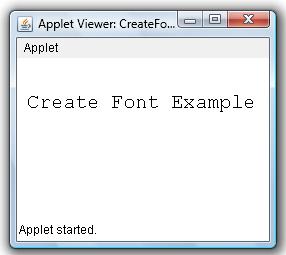
/* Create Font Object Example This java example shows how to create a font object and use the created font. */ import java.applet.Applet; import java.awt.Font; import java.awt.Graphics; /* <applet code="CreateFontObjectExample" width=200 height=200> </applet> */ public class CreateFontObjectExample extends Applet{ public void paint(Graphics g) { /* * To create a new font, use * Font(String name,int style, int size) * constructor of font class. * * style can be one or more of Font.ITALIC, Font.BOLD or * Font.PLAIN constants. */ Font myFont = new Font("Courier", Font.PLAIN,20); /* * Set font using * setFont(Font f) * method. */ g.setFont(myFont); g.drawString("Create Font Example", 10, 50); } } |
Example Output
Add Comment